
Integrate Upply into your AI assistant chats, and access real-time market data.
Upply MCP: put your market data to work in AI
Copilot, Claude, ChatGPT, Gemini and many more. Compare your transport prices and track market trends, without leaving your conversation with the Upply MCP.
.png?width=2373&height=1690&name=Hero_MCP_Upply%20(2).png)
Connectors
Upply drops into your favorite AI

Copilot
Ask Microsoft Copilot to compare your transport prices line by line and analyze key market indicators.
Connect to Copilot

Gemini
Chat with Google Gemini and compare your transport prices with Upply, backed by 2+ billion market data points.
Connect to Gemini

Perplexity
Compare your transport prices and track market indicators, directly in Perplexity.
Connect to Perplexity

More AI tools coming soon
Check this page regularly to discover new compatible AI tools.

Claude
Get contextual answers in your Claude chat by pairing it with the Upply MCP.
Connect to Claude
.svg.webp?width=1280&height=903&name=Mistral_AI_logo_(2025%E2%80%93).svg.webp)
Mistral
In your Mistral chat, track and analyze transport market trends, and compare prices on your key corridors.
Connect to Mistral

Dust
Bring the transport market into your Dust agents to compare your prices and track key indicators.
Connect to Dust

ChatGPT
Compare your transport prices with the market, without leaving your ChatGPT conversation.
Connect to ChatGPT

Notion
Bring your transport price benchmarks into your Notion workspace and analyze the main market indicators.
Connect to Notion

GitHub Copilot
Compare your transport prices and track market indicators, directly in GitHub Copilot.
Connect to GitHub Copilot
-
Copilot
Ask Microsoft Copilot to compare your transport prices line by line and analyze key market indicators.
Connect to Copilot
-
Gemini
Chat with Google Gemini and compare your transport prices with Upply, backed by 2+ billion market data points.
Connect to Gemini
-
Perplexity
Compare your transport prices and track market indicators, directly in Perplexity.
Connect to Perplexity
-
More AI tools coming soon
Check this page regularly to discover new compatible AI tools.
-
Claude
Get contextual answers in your Claude chat by pairing it with the Upply MCP.
Connect to Claude
-
Mistral
In your Mistral chat, track and analyze transport market trends, and compare prices on your key corridors.
Connect to Mistral
-
Dust
Bring the transport market into your Dust agents to compare your prices and track key indicators.
Connect to Dust
-
ChatGPT
Compare your transport prices with the market, without leaving your ChatGPT conversation.
Connect to ChatGPT
-
Notion
Bring your transport price benchmarks into your Notion workspace and analyze the main market indicators.
Connect to Notion
-
GitHub Copilot
Compare your transport prices and track market indicators, directly in GitHub Copilot.
Connect to GitHub Copilot
Features
Everything you can ask your AI
From benchmarks to market indicators, bring the essentials of Upply data into your AI conversations.
-
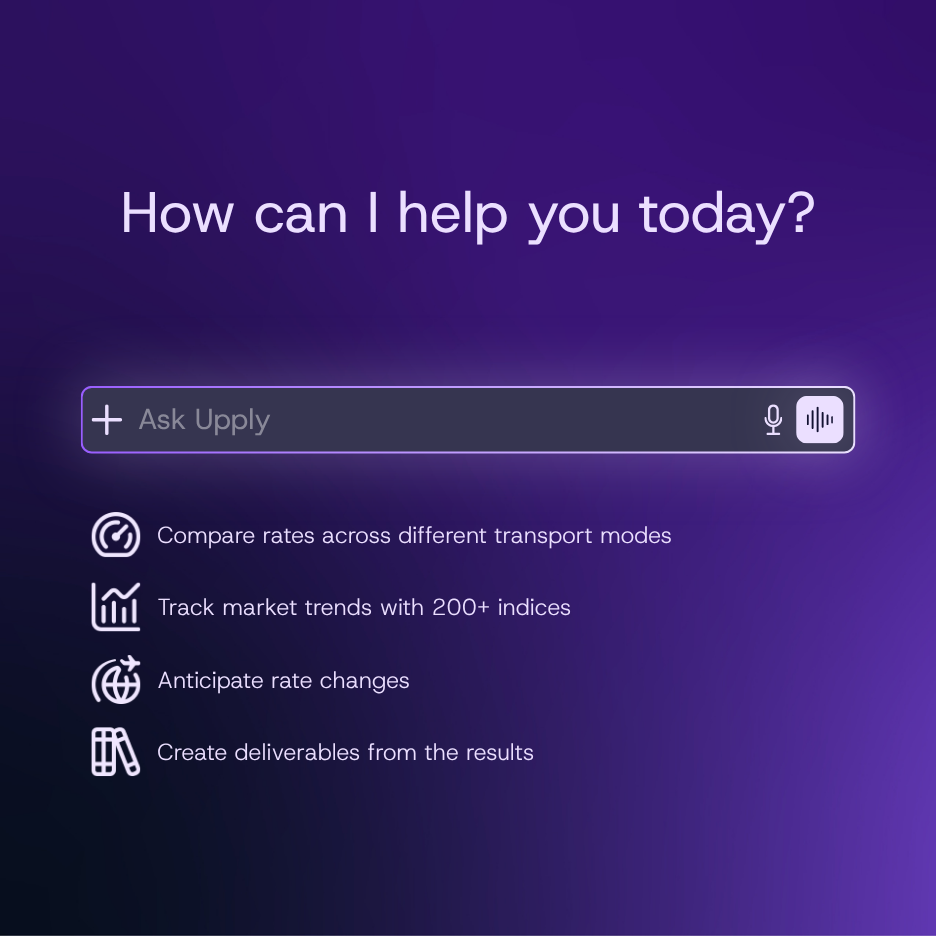
Compare a price, whatever the mode: air, sea or road
-
Track the evolution of market indices, with full history
-
Anticipate the coming weeks with forecasts on Upply Freight Indices (UFI)
use cases
From AI chat to market data
A few example prompts to get you started.
Want to discover everything your AI can do with Upply?
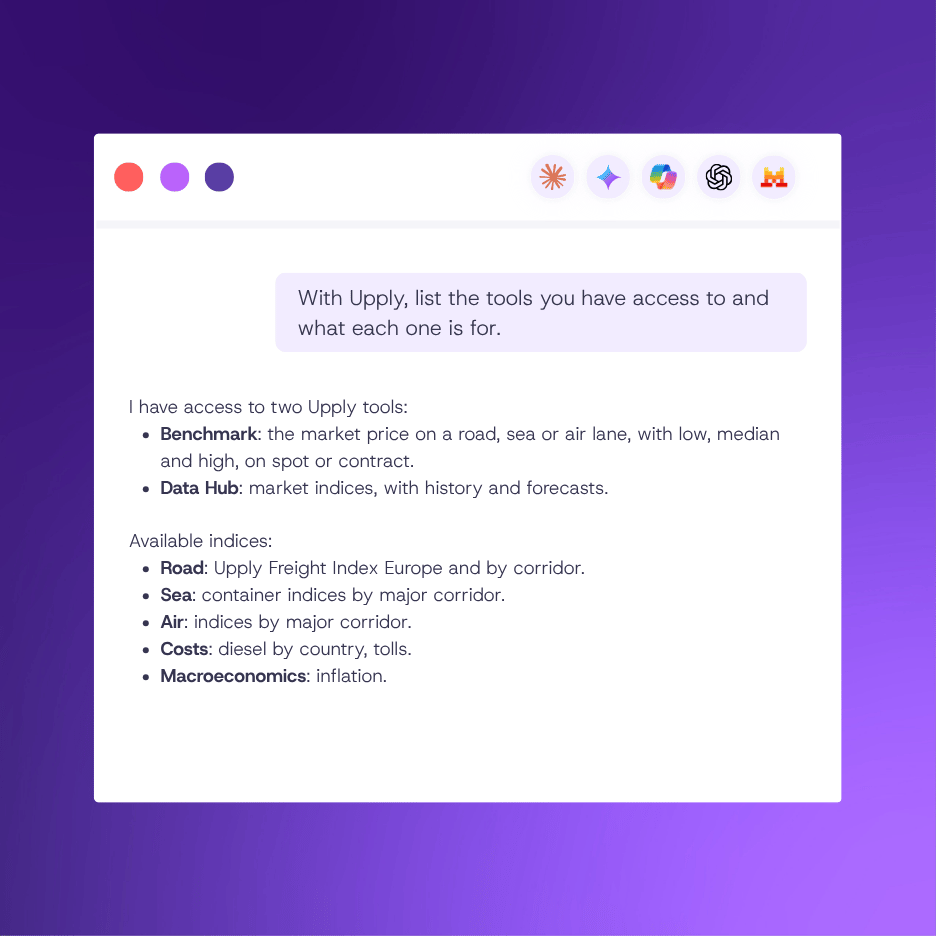
Try: "Using Upply, list the tools you have access to and what each one is for. Then show me which market indices I can reach, grouped by category."
Want to compare all your prices to the market?
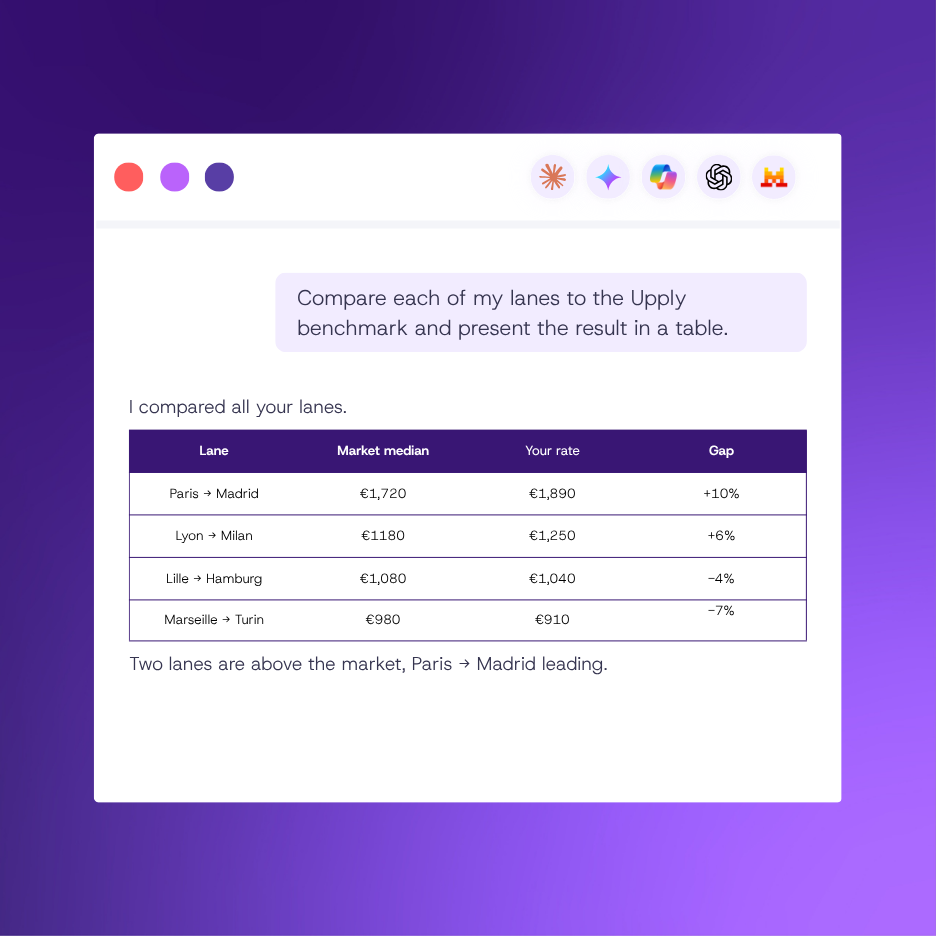
Try: "Here is our list of lanes. Benchmark each one in Upply and return a spreadsheet with origin, destination, equipment, the market low, median and high, and our current rate alongside.
Sort by the gap between our rate and the market median, largest first, and flag which lanes sit above the market and which sit below."
[paste your lanes, one per line: origin, destination, equipment, current rate]Sort by the gap between our rate and the market median, largest first, and flag which lanes sit above the market and which sit below."
Want to prepare a tender?
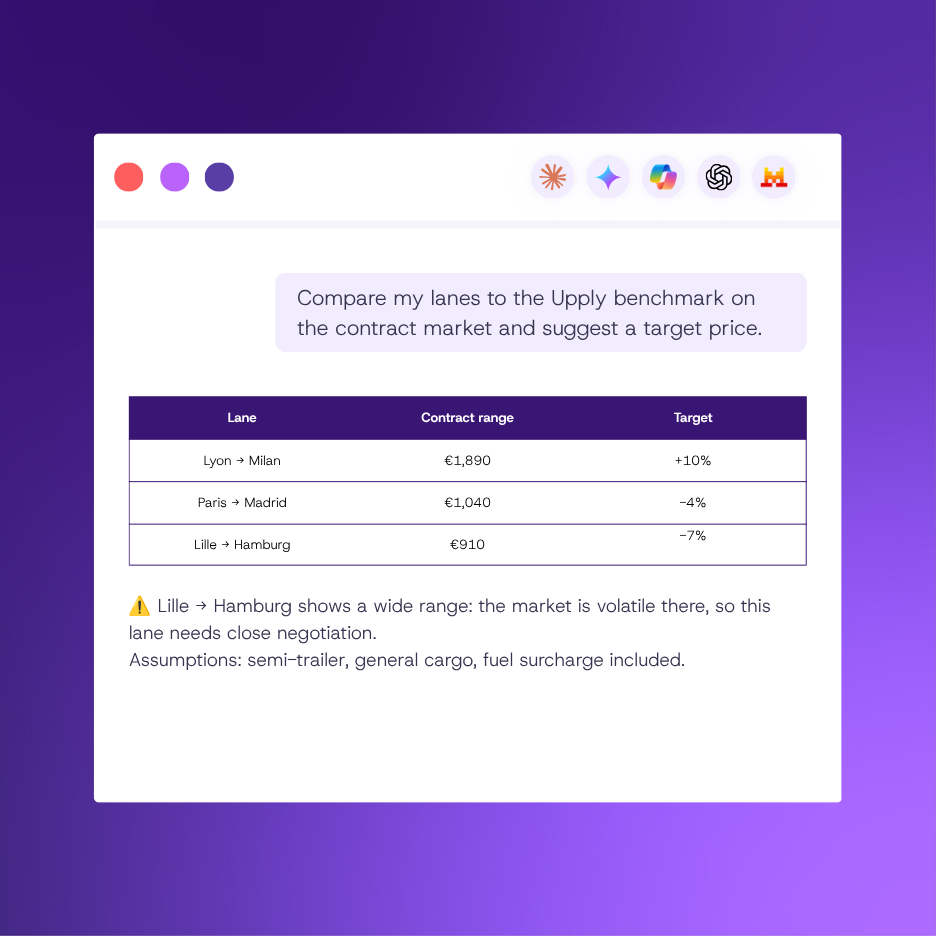
Try: "We are tendering the lanes below for next year. Benchmark the contract market for each one in Upply and give me a target rate.[paste your lanes, one per line: origin, destination, equipment, annual volume]
Return a table with origin, destination, the benchmark range and a recommended target. Flag any lane where the range is unusually wide, since that signals volatility worth negotiating around. End with the assumptions you had to make."
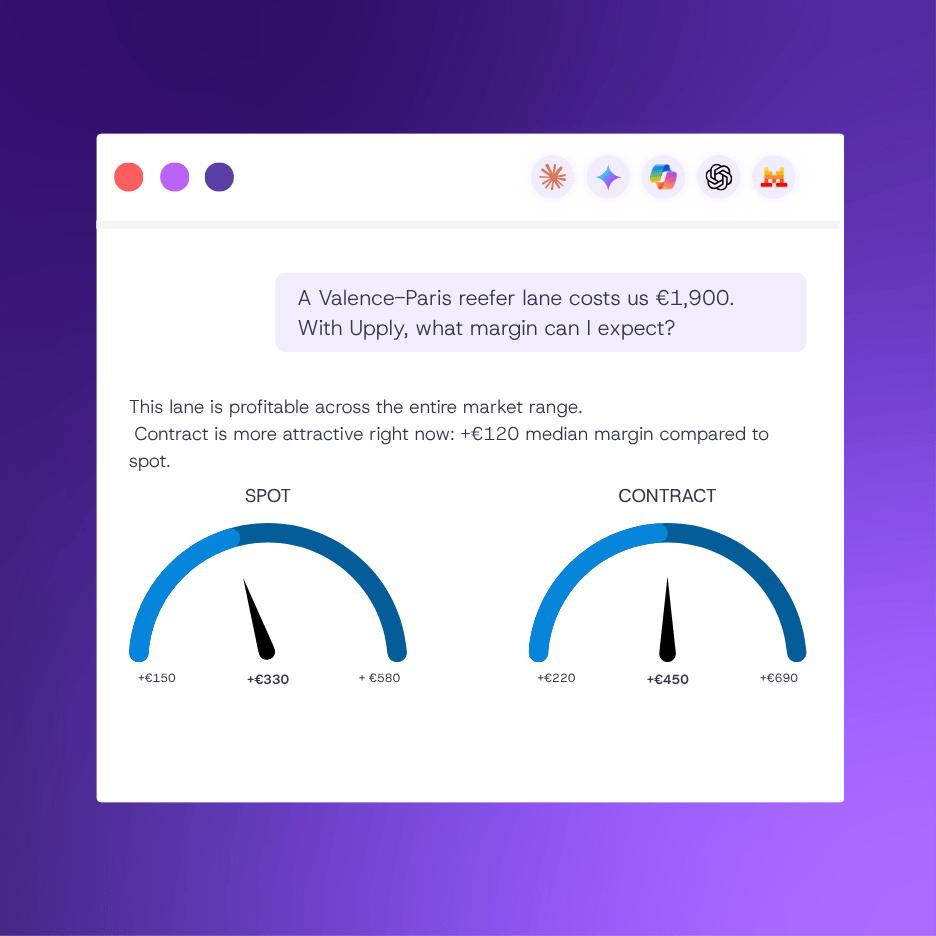
Want to check whether a lane pays?
Try: "Our cost to run [a reefer truck] from [Valencia, Spain] to [Paris, France] is about [€1,900] per trip.
Benchmark this lane in Upply and tell me the margin I can expect at the market low, median and high. Then compare spot and contract, and tell me which market makes more sense for this lane right now."
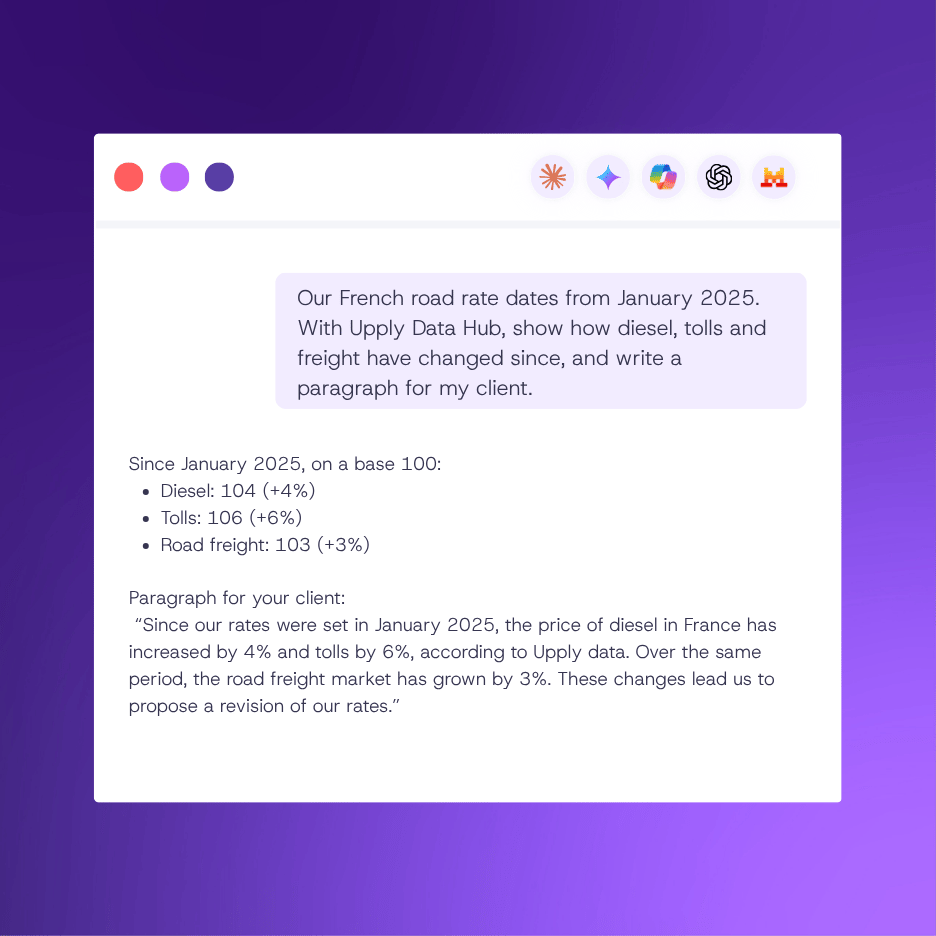
Want to justify a price revision?
Try: "Our client contract on [France domestic road] was priced in [January 2025]. I want to ask for a rate revision.
Using Upply Data Hub, pull French diesel prices, the French toll index and the relevant road freight index since that date, all rebased to 100 at [January 2025]. Tell me how much each has moved, and draft a short, factual paragraph I can send my client to support the revision. Stick to what the data shows."
Connect Upply to your AI and get answers right away, based on reliable market data updated in real time.
